
ads
Step by Step on How to Access the CNIS
Accessing your CNIS is a simple process, but requires attention to detail. Follow the steps below to consult your CNIS online:
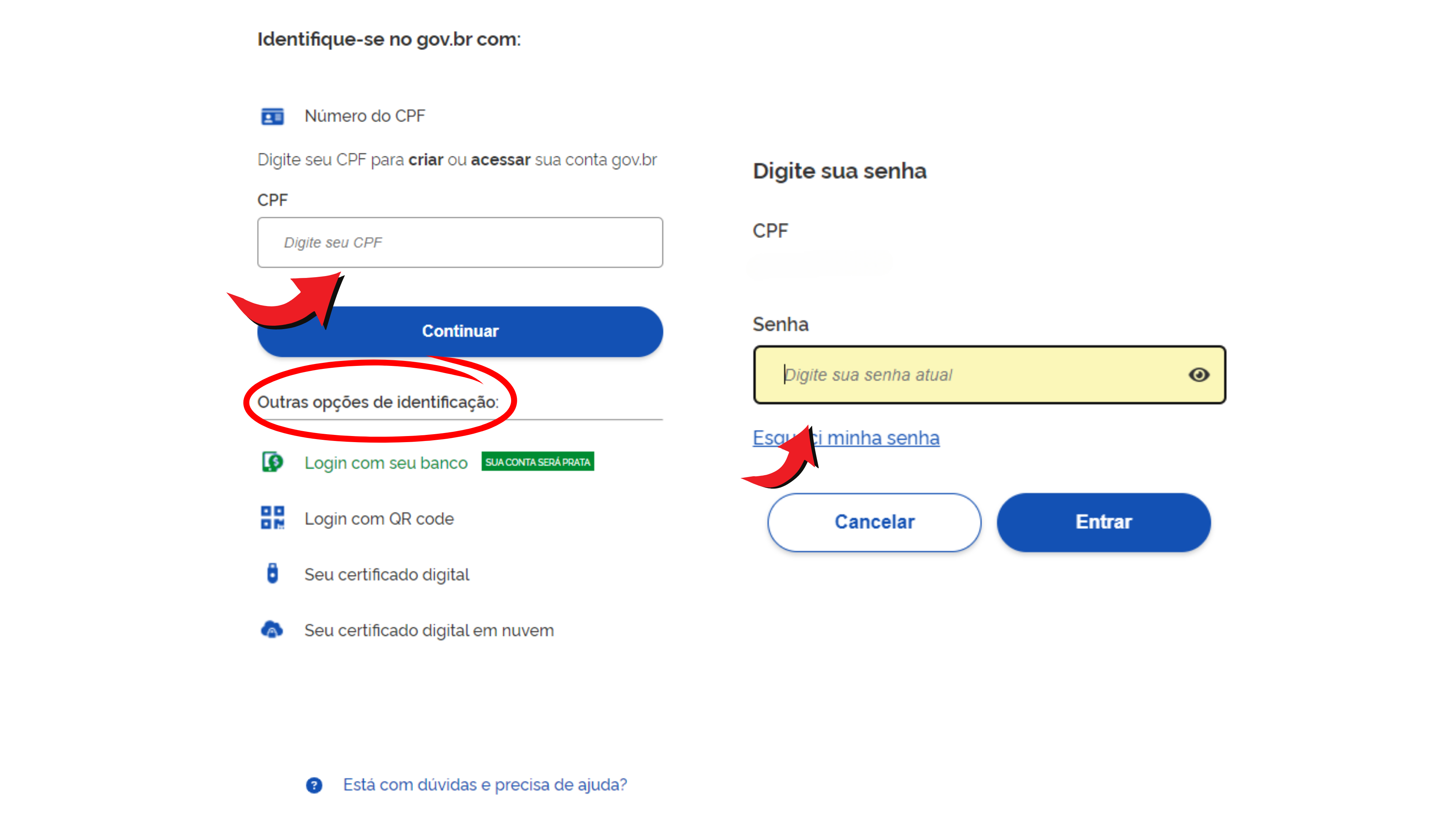
Step 1: Access to the Meu INSS Portal
- Access the Meu INSS Portal through the official website My INSS and log in with your gov.br account.
- If you do not yet have a registration, you will need to create an account on the Federal Government portal. To do this, simply access the website gov.br, provide your data and follow the instructions on the website.
Step 2: Search for the Statements Session
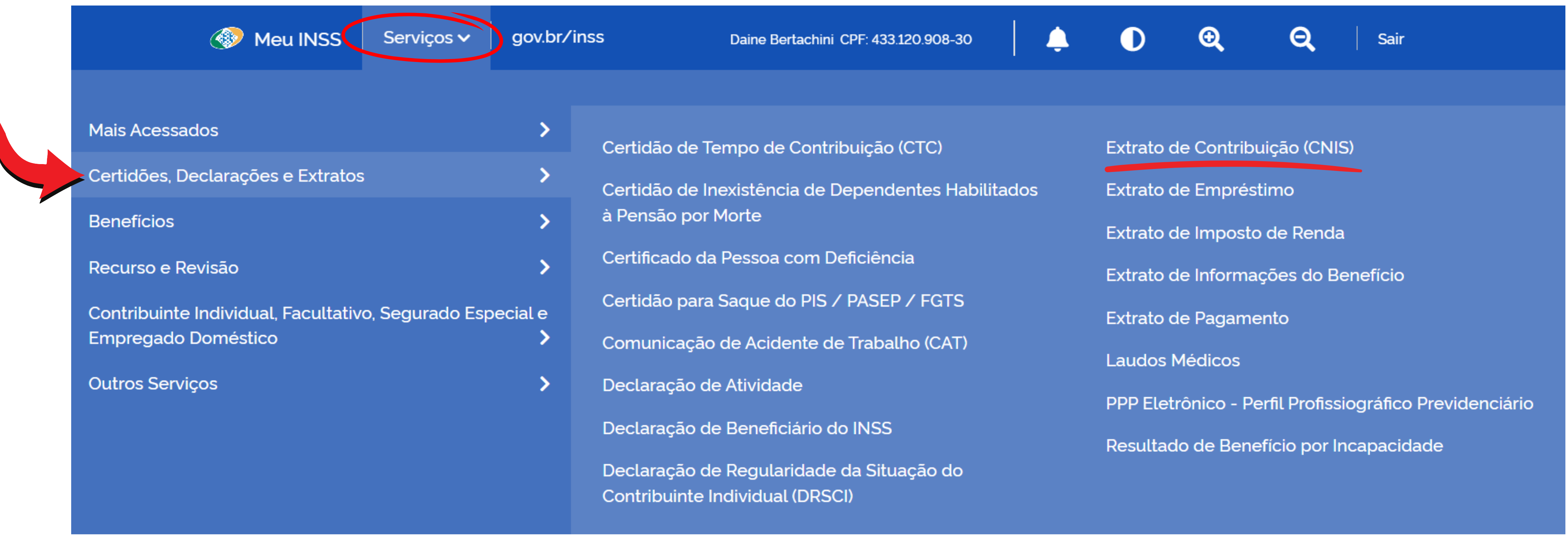
- After being logged in to the website, in the main menu, locate the “Services” option.
- Hover over the option “Certificates, Declarations and Statements”
- Click on “Contribution Statement (CNIS)”
- After accessing the section, you will be able to view your CNIS.
Step 3: Download your Document
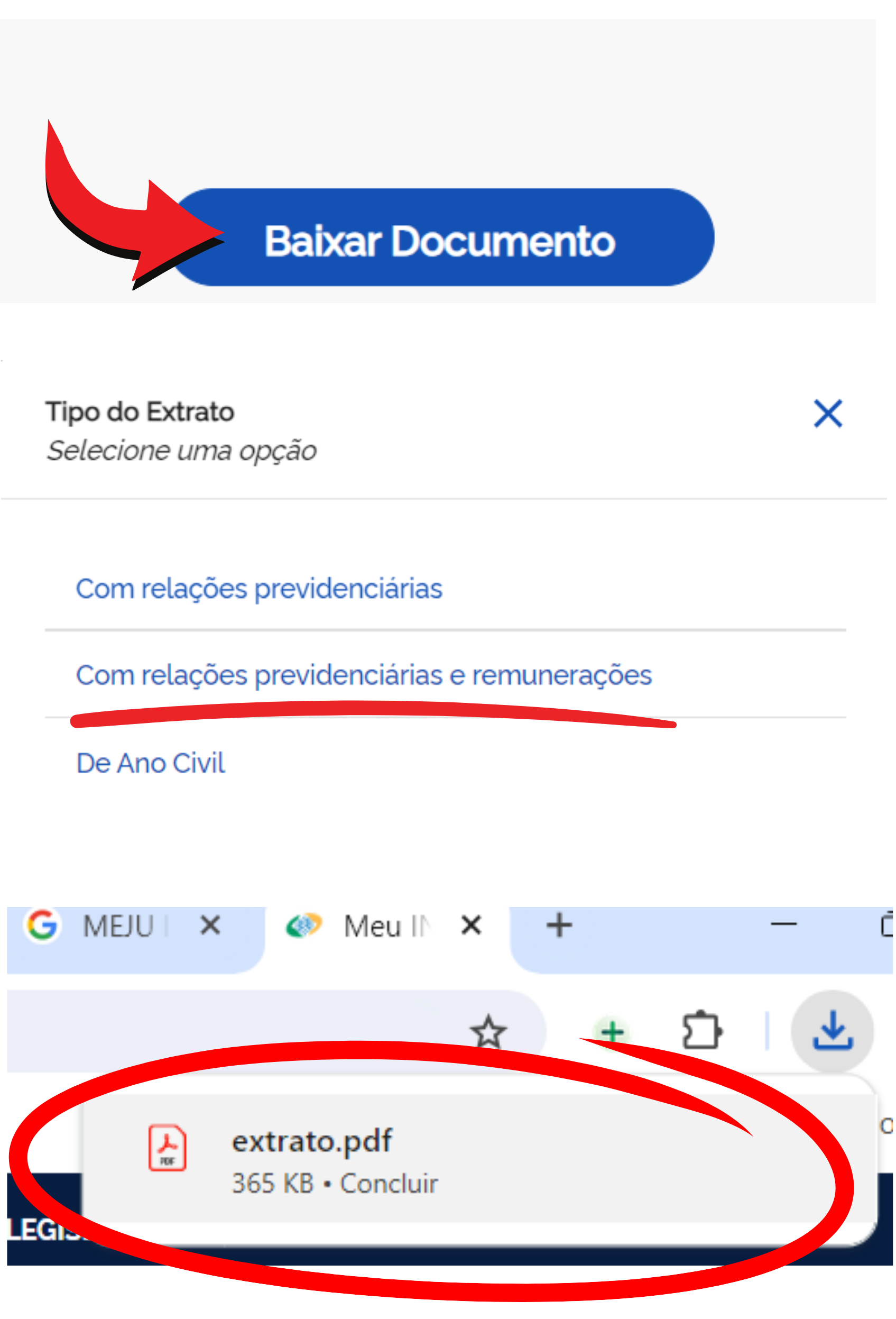
- To download or print your document, scroll down the page and click “Download Document”.
- In “Statement Type”, select the option “With social security relations and remunerations”.
- Ready! Your document will be automatically downloaded and saved as a PDF.
- To view it, look in the “download” folder on your computer.
By following all these steps, you will have complete access to your time information and contribution amounts that you have made during your professional life. Check the data carefully and keep the document safe for future references. If you need additional help, contact Social Security support.